2024
Source: Autodesk official release notes →Dark Theme, Toposolids, coordination-model linking, faster rebar and MEP fabrication workflows, and an early look at embodied-carbon analysis - the highlights from Revit 2024’s four releases.
| Image | Release | Title | Content |
|---|---|---|---|
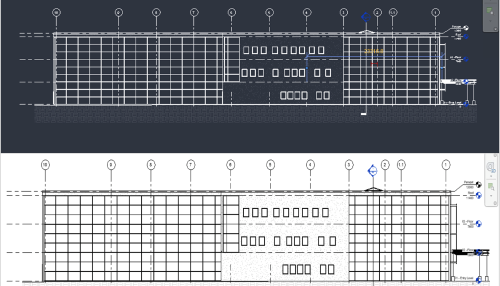 | 2024 | Revit Dark Theme | a full dark mode across the interface, Properties Palette, Project Browser, and (added later in 2024.2) schedules and panel schedules too, with automatic color adjustment when switching themes. |
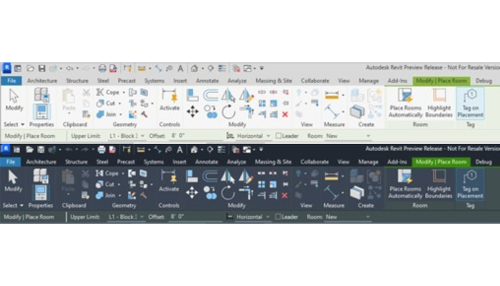 | 2024 | User interface modernization | over 2,000 icons were redesigned with a cleaner, more modern look across the whole ribbon. |
 | 2024 | Search in Project Browser | a search box right at the top of the Project Browser, instead of scrolling through a long tree to find a view or sheet. |
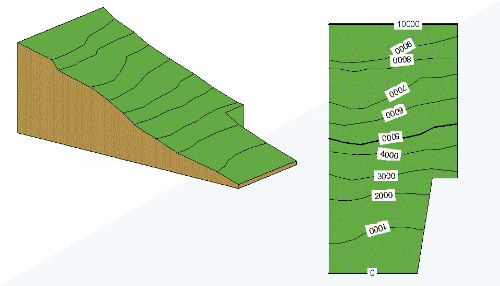 | 2024 | Toposolids | topography is now modeled as real solid geometry instead of a simple mesh, so it behaves like other model elements (can be cut in section, has material and volume) - a long-requested community idea. |
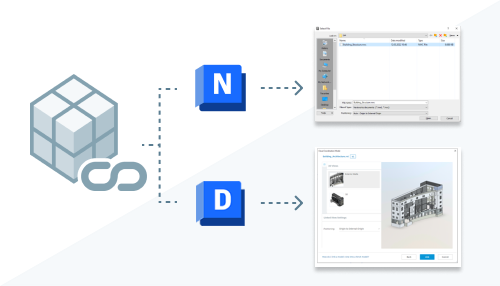 | 2024 | Link and snap to coordination models | visually cross-check your model against other disciplines' coordination models directly in Revit, and snap to their points when placing elements. |
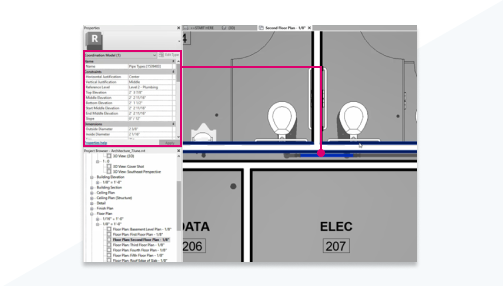 | 2024 | Access coordination model object properties | select individual objects inside a linked coordination model to inspect their properties, not just the model as a whole. |
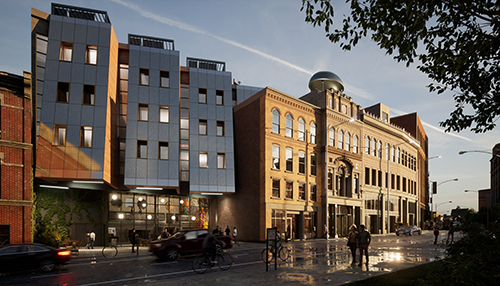 | 2024 | New sample model and project templates | refreshed out-of-the-box templates and a sample project, useful both for real projects and for learning the software. |
| 2024 | Resize all rows in schedules on sheets | batch-resize every row in a schedule placed on a sheet at once, instead of dragging each one individually. | |
 | 2024 | Color Books dialog | use third-party or custom color books (like RAL or Pantone) directly for material and graphic overrides. |
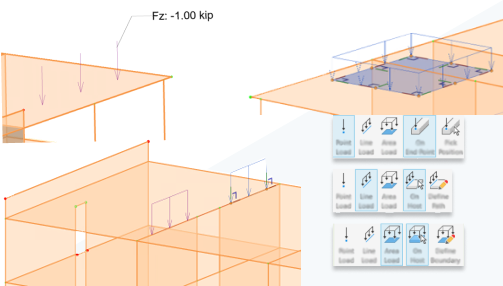 | 2024 | Enhanced analytical loads | apply loads directly on structural members, panels, and user-defined areas, with patterns and colors to visualize load distribution in plan views. |
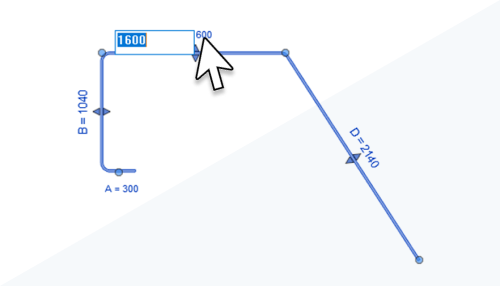 | 2024.1 | Faster rebar workflows | automatic tag placement for multi-rebar annotations, and the ability to edit rebar segment length directly on canvas in 2D and 3D views, instead of through a dialog. |
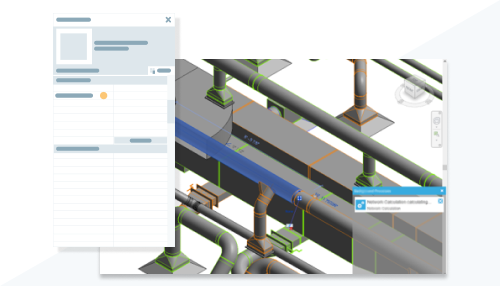 | 2024 | Flow and pressure calculations for MEP fabrication parts | fabrication-level ductwork now supports the same network calculations as design-level ductwork, tightening the design-to-fabrication workflow. |
 | 2024 | Energy analytical model by elements in a 3D view | build the energy model from a specific selection of elements (via a section box or filters) instead of the whole project every time. |
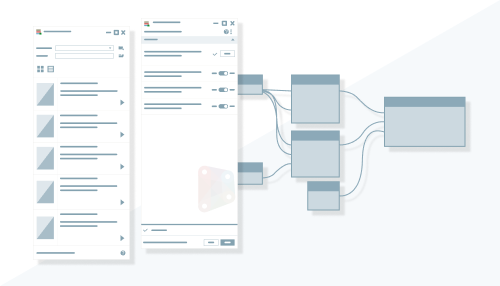 | 2024 | Dynamo Player improvements | view a graph's issues and dependencies before running it, add image outputs, and try the new sample graphs bundled with Revit 2024. |
 | 2024 | Insight: Tech Preview | an early look at embodied-carbon impact analysis built directly into the design process, ahead of it becoming a full feature in a later release. |
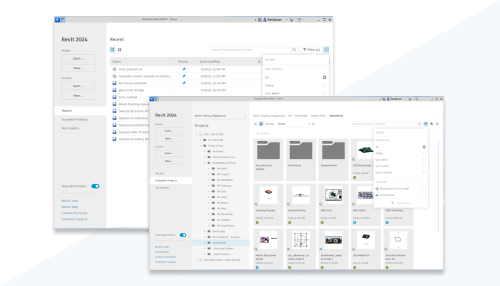 | 2024.2 | The New Revit Home: Tech Preview | A toggle button lets you try a preview of the redesigned Revit Home, with more features than the classic homepage. It's the first look at what would go on to become the default homepage a year later. |
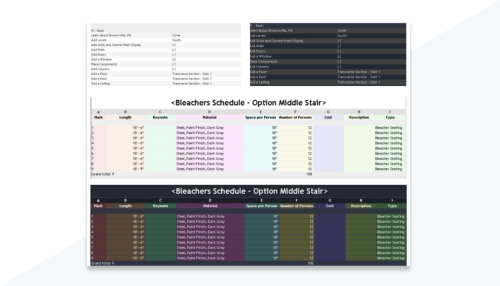 | 2024.2 | Dark Theme for Schedules and Panel Schedules | Dark Theme can now be enabled for schedules, panel schedules, and panel schedule template edit mode, matching every other view type. Working in dark mode no longer means switching back to light mode just to edit a schedule. |
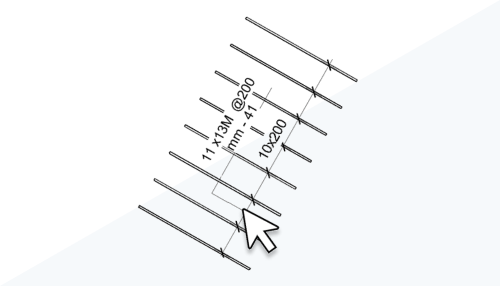 | 2024.1 | Automatic Tag Placement for Multi-Rebar Annotations | Multi-rebar annotations can now be placed faster, with the tag automatically oriented parallel to the dimension line at a specified offset. A repetitive manual alignment step disappears from a very common reinforcement documentation task. |
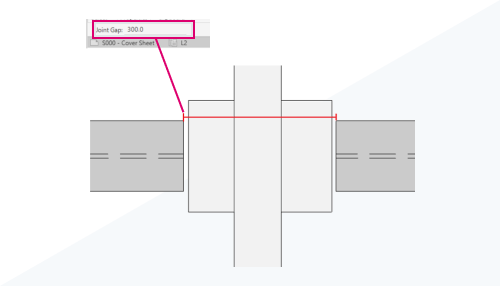 | 2024.1 | Split with Gap for Structural Framing and Columns | The Split Element and Split with Gap tools now work on all structural framing and columns, not just a limited subset. Modeling scenarios that need a clean structural gap go faster across many more element types. |
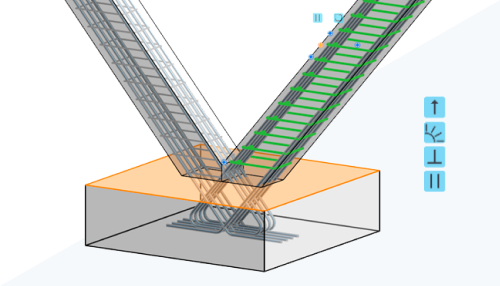 | 2024 | More Path Alignment Options for Free Form Rebar | You can now choose how bars in a free-form rebar set align, including making them parallel to the planar face selected in the Align/Close constraint. It gives more precise control over how complex, non-standard reinforcement actually sits in the model. |
| 2024 | Enhanced Analytical Loads | Structural loads can now be applied directly on analytical members and panels, over defined areas of a host object, instead of only at simple points or lines. Load application matches real-world load distribution much more closely. |
| 2024 | Create Energy Analytical Model by Elements in a 3D View | A section box, view filters, or Visibility/Graphic Overrides can now scope exactly which elements from a 3D view get included when generating the energy analytical model. Energy analysis can focus precisely on the part of the building you actually care about. |
 | 2024 | My Insights on Revit Home | My Insights delivers personalized usage insights and suggestions directly to Revit Home, based on how you actually work in the software. It's a built-in nudge toward habits and features that could make your own workflow faster. |
 | 2024 | Revit to Twinmotion Enhancements | An Auto Sync option was added to the Twinmotion drop-down menu, keeping a Twinmotion scene updated as the Revit model changes. Visualizing design iterations in Twinmotion needs far less manual re-syncing. |
| 2024 | Dynamo Player | Dynamo Player in Revit 2024 adds the ability to view graph issues and dependencies, add image outputs, and try out new sample graphs. Running and troubleshooting Dynamo graphs without opening the full editor gets noticeably more capable. |